
Search for answers or browse our knowledge base.
Pulse – Replacing Pulse Monitor Battery
Step 1) Remove Pulse Fascia.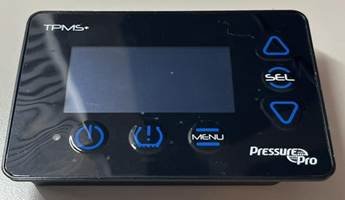
Step 2) Remove screws from front board.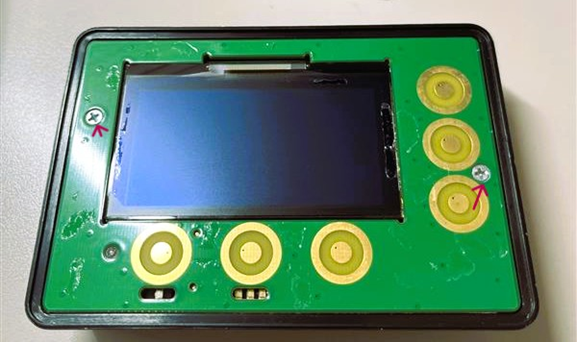
Step 3) Remove front board and unclip ribbon wire. 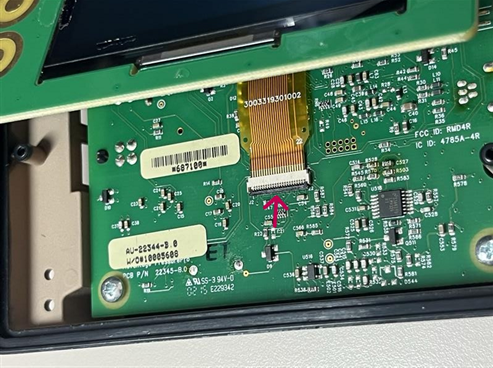
Step 4) Remove back PCB screws.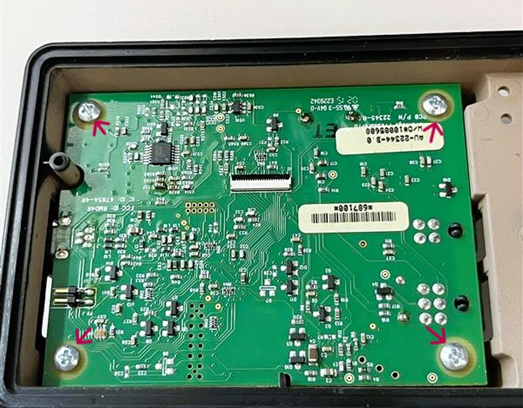
Step 5) Remove PCB. (Disconnect antenna wire if present)
Step 6) Trim the RTV located beneath the battery.
Step 7) Desolder battery using a soldering iron to melt the solder and needle nose to hold/pull the battery out. Make sure there is no leftover solder on the board.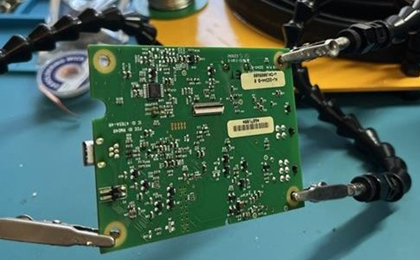
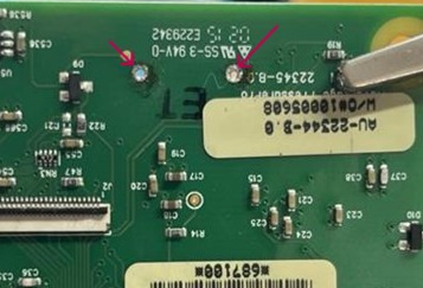
Here I’ve used helping hands so that I can simultaneously apply heat to the solder joint on the back of the PCB, while I pull on the battery from the front.
Step 8) Remove more RTV once the battery is removed.
Step 9) Insert new battery, be careful not to bend battery prongs. (Be mindful of battery orientation)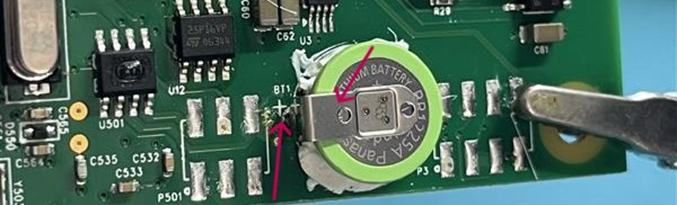
Step 10) Solder the battery prongs to the Pulse board.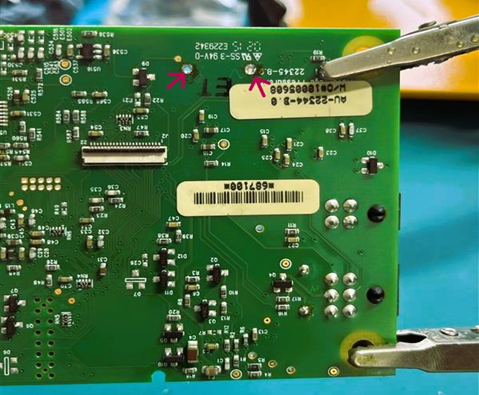
Step 11) Add new RTV or hot glue under battery.
Step 12) Reinsert Pulse back board (reconnect antenna wire if necessary) and install four screws.
Step 13) Reinstall ribbon wire and fasten the clip.
Step 14) Reinsert the front Pulse board and install two screws.
Step 15) Reinstall the Pulse Fascia.