How can we help?
Search for answers or browse our knowledge base.
Connect 2.0 – How to Park a Unit
This article will go over how to Park Units in Connect 2.0.
Please Note: This is subject to change.
Step 1) Login to Connect 2.0
Step 2) In the right menu, click on Units.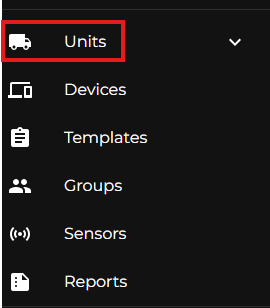
Step 3) Once in the Units section, you’ll see a list of Units already within your Company. On the top left, use the Search bar to search for the Unit you wish to park.
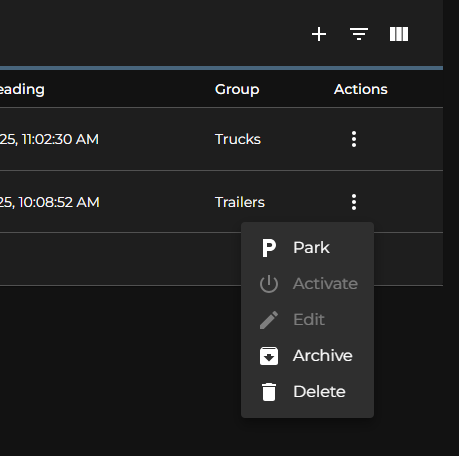
Step 4) Once you’ve located the Unit you wish to Park, there are 3 vertical dots on the right side, under the Action column. Click on the 3 vertical dots and click Park.