How can we help?
Search for answers or browse our knowledge base.
Connect 2.0 – How to Add New Sensors
This article will go over how to Park Units in Connect 2.0.
Please Note: This is subject to change.
Step 1) Login to Connect 2.0
Step 2) In the right menu, click on Sensors.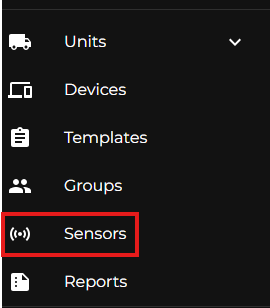
Step 3) Once in the Sensors section, you’ll see a list of Sensors already within your Company. On the top right of the list, there is a + icon. Click the + icon.
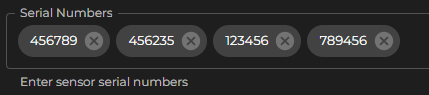
Step 4) In the Serial Numbers field, you can manually type the Serial Numbers, or you can copy multiple serial numbers from a list. As long as the list of serial numbers is separated by a space, comma, or semicolon you can bulk input serial numbers. Click the + Add Sensors button to save.